


Google Messages
4.2690.03K Reviews
App Specs
- Version
- Varies with Device
- Updated On
- License
- Free
- Downloads
- 10,000,000,000+
- Developer
- Google LLC
- Categories
- Communication
- Platform
- Android, iOS
Screenshots
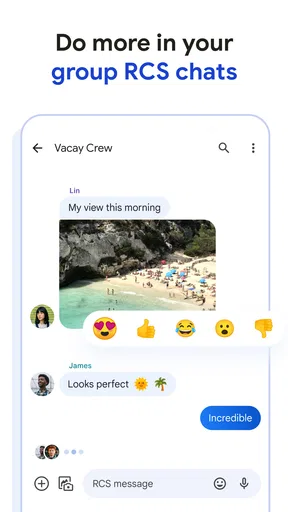
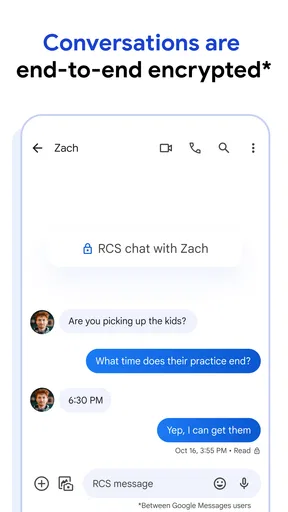
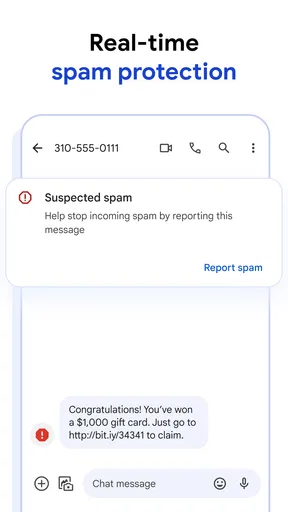
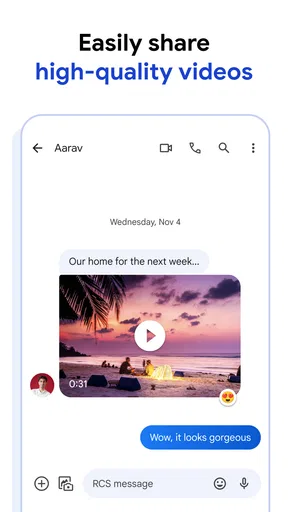
 Analysis by AppCompare
I use Google Messages as my everyday Android texting app, and its strongest quality is that it stays familiar while offering more than basic SMS. It handles ordinary conversations without asking me to learn a new social network or persuade everyone I know to join one. For quick plans, family updates, and the practical messages that fill a day, that straightforward role matters. The main caveat is that the experience depends on the kind of messaging a conversation can use, so I would not assume every chat has the same features.
What free access means in practice
This is a free communication app from Google LLC, so trying it does not require a purchase. That makes it an easy choice if you want to test whether it suits your routine before committing to it as your default. Its audience is broad: the listed age rating is Everyone, and its reach is substantial, with more than ten billion installs. It has a 4.4 average from around 43 million ratings, alongside roughly 674,000 written reviews. Those figures suggest that many people rely on it, but they do not guarantee that its behavior will match every phone or carrier setup.
I see the value less in a long checklist of extras than in having one place for everyday texting and richer conversations when the other person’s setup supports them. A free app can still cost attention when it gets in the way; here, the clean conversation list and familiar layout help keep the basics easy to reach. The trade-off is that some of the more useful communication features depend on compatibility, rather than being available in exactly the same form in every chat.
Guides and Analysis on Google Messages
Getting Started with Google Messages
First things first, installing Google Messages is a breeze. Head over to the Google Play Store, hit download, and voilà, you’re ready to roll. The interface is as clean as a whistle. I mean, seriously, it’s like Google took a minimalist approach and nailed it. The app opens up to your conversations, and you can jump right into chatting with your friends, family, or even that chatty coworker of yours.
Setting up is super simple. Your messages are synced through your Google account, which is handy if you switch devices often or just like having everything in one place. Plus, there’s no need to fiddle around with complex settings, which is always a win in my book.
Features That Make a Difference
Now, let’s get into the good stuff—the features. Google Messages isn’t just about sending texts. It’s packed with a bunch of nifty features that can make your messaging experience a lot smoother.
- Rich Communication Services (RCS): This is a game-changer. RCS takes your regular SMS messaging to the next level. Think of it as iMessage for Android. You get read receipts, typing indicators, and the ability to send larger files. If you and your contacts are on RCS, it’s like having a whole new messaging experience.
- Search Functionality: Ever tried scrolling through thousands of messages to find that one important piece of info? Yeah, it’s a nightmare. But with Google Messages' search feature, you can easily find what you’re looking for by typing in keywords. It’s a lifesaver.
- Google Assistant Integration: Need to book a restaurant or check the weather? Just ask Google Assistant directly from the app. It’s like having a personal assistant right in your chat.
- Spam Protection: Let’s face it, spam messages are the worst. Thankfully, Google Messages comes with built-in spam protection, so you can keep those pesky messages at bay.
Choosing the right chat for a situation
The practical question I would ask before relying on RCS is whether the person I’m messaging can use it too. When the chat supports RCS, read receipts and typing indicators can make coordination feel more like a live conversation. If it falls back to SMS, I treat it as a simpler text exchange instead of expecting those richer signals. That distinction is useful when a message matters: a missing read receipt does not necessarily mean someone ignored me; the conversation may simply not be using the same mode.
Worth Reading Before You Choose

Basketball Stars: Multiplayer Is Fast, but Can It Recover When Matches Go Wrong?

WEBTOON Turns Phone Updates Into a Better Reading Routine

Link to Windows Runs on Shared Habits, Not Social Feeds

How Alibaba.com Dominates the B2B Marketplace

Metro's Quiet Rise: Redefining Mobile Communication

Harnessing Ecosystem Power with Phone Tracker by Number
For an everyday example, imagine arranging a pickup after work. I can send the time and location in the thread, then use a quick search later to find the details rather than scrolling through unrelated messages. If the recipient is on RCS, the extra conversation cues can help me judge whether plans are being seen. If not, the basic message still does its job. I find that flexibility more valuable than assuming every contact has identical capabilities.
Search is also most helpful when I use terms I am likely to remember. A street name, a shop, or a distinctive phrase is usually a better query than a vague word like “tomorrow.” For a recurring exchange, pinning the conversation can save repeated searching. These small habits turn the app into a more useful record of practical details, not just a stream of recent chatter.
Customization and Personalization
One of the things I love about Google Messages is how customizable it is. You can change the theme to match your style, whether you’re into light or dark mode. And with the ability to customize notifications for each conversation, you’ll know exactly who’s texting you without even looking at your screen.
For those who love a little personalization, you can set custom ringtones for your favorite contacts. It’s a small touch, but it makes a big difference in how you interact with your messages. You can also pin your most important conversations to the top of your list, so they’re always within reach.
Small settings, useful routines
I would use conversation-level notifications selectively rather than giving every thread a distinctive alert. A different sound for a close family member or a time-sensitive work contact can help me decide whether to check my phone immediately, while leaving less urgent chats quieter. The benefit is practical, but it depends on being willing to tune the settings; if I never customize anything, the default experience remains simpler but less informative.
Pinning is most effective when I reserve it for conversations I genuinely revisit. If too many threads stay pinned, the top of the list stops acting as a useful shortcut. I also like the idea of treating pins as temporary: keep a current travel or event conversation visible while it matters, then unpin it once the plans are over. That avoids turning a helpful feature into another crowded inbox.
How it compares with other messaging choices
Compared with a dedicated internet-messaging service, this app’s particular strength is its place in ordinary Android texting: I can use it for SMS and, when available, RCS without asking friends to move to a separate service first. That makes it a sensible default for mixed groups where not everyone uses the same platform. A dedicated messenger can be a better fit when a whole group already lives there or depends on that service’s specific tools and shared habits.
It is not a universal replacement for every messaging app. RCS availability and behavior depend on the conversation, so people who expect a consistent feature set across all contacts may prefer a service where everyone in their circle uses the same platform. Likewise, someone whose important conversations are already organized in another app may gain little by splitting attention between two inboxes. I would choose based on where the people I need to reach actually are, not on the assumption that one app can make every contact’s setup identical.
Using Google Messages on Other Devices
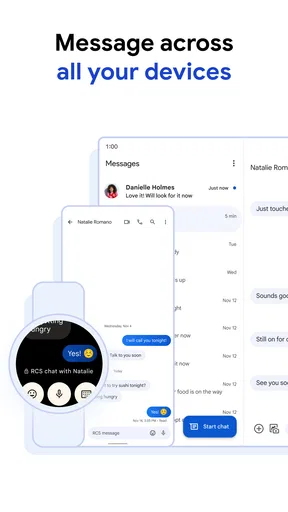
Another cool feature that’s worth mentioning is the ability to use Google Messages on your computer through the web. Just scan a QR code, and you’re all set to text from your browser. It’s perfect for those days when you’re working on your laptop and don’t want to keep switching devices.
And if you’re someone who’s often on the go, the app’s seamless syncing means you can pick up right where you left off, no matter what device you’re using. It’s all about making your life easier, and Google Messages does a pretty good job at that.
When the web version earns its place
For me, browser access is most useful during a work session when my phone is nearby but my hands are already on the keyboard. Replying to a quick logistics message without repeatedly picking up the phone reduces interruption. It is less compelling if I rarely use a computer or prefer to keep personal messages away from a shared screen. Since linking the browser involves scanning a QR code, I would also make a point of using it only on a computer I trust and checking that I have finished with the session when I no longer need it.
Moving between devices is convenient, but I would not confuse browser access with a reason to assume every message type behaves identically everywhere. The core benefit is being able to continue a conversation from a larger screen. If a particular thread relies on richer messaging, the experience still rests on what that conversation supports, so the web option is a convenience rather than a fix for compatibility differences.
Who is likely to get the most from it
I would recommend it first to Android users who want a straightforward home for regular texts and do not want to convince friends or relatives to install another app. It also suits people who often need to recover a detail from a conversation, value a tidy list, or answer messages while working at a computer. A household coordinating errands, for example, can keep a simple thread for pickup times and use search to recover an address or plan later.
It is less compelling for someone whose whole social circle already uses a different messenger and whose conversations rarely arrive as ordinary texts. It may also frustrate anyone who expects every contact to offer the same RCS functions. In that case, using the service your group already prefers may produce a more consistent experience, even if it means giving up the convenience of one default Android inbox.
Final Thoughts
In a nutshell, if you’re looking for a messaging app that’s reliable, feature-rich, and just plain easy to use, Google Messages should be at the top of your list. Whether you’re chatting with friends, coordinating plans, or just staying in touch with loved ones, this app has got you covered.
So, what’s the verdict? Give Google Messages a try. It’s free, it’s packed with features, and it’s backed by Google’s robust infrastructure. You really can’t go wrong. Happy texting!
My buy-or-skip verdict
Because access is free, I see little reason for an Android user to skip trying it if they want a simple texting app and their phone supports it. The value comes from combining everyday SMS with richer RCS conversations where available, plus useful touches such as search, pinned chats, spam protection, and browser access. I would not choose it just because it is widely used, though: if my friends are committed to another service or I need a uniform experience across every contact, their existing app may be the better fit.
My recommendation is to start with the basic routine: keep a few genuinely important conversations pinned, customize alerts only for contacts whose messages need quick attention, and try search the next time you need to recover a detail. If those conveniences fit naturally into your day, it is an easy app to keep. If you find yourself switching elsewhere for most conversations, there is no purchase to recover and no reason to force it into your routine.
Pros
- Seamless integration with other Google services.
- Intuitive and user-friendly interface.
- Supports rich communication services (RCS).
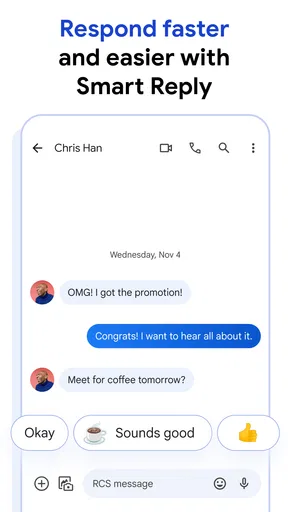
- Offers smart reply suggestions.
- Message search functionality is efficient.
Cons
- Limited customization options.
- Occasional syncing issues with web version.
- No end-to-end encryption for all chats.
- Some features require specific carriers.
- Ads may interrupt user experience.
FAQs for Google Messages
What are the key features of Google Messages?
Google Messages offers a clean interface for SMS, MMS, and RCS messaging. It includes features like Smart Reply, message search, and the ability to send photos, videos, and audio messages. The app also supports group chats and end-to-end encryption for RCS, enhancing both security and user experience.
How does Google Messages handle privacy and security?
Google Messages prioritizes user privacy by offering end-to-end encryption for RCS messages, ensuring that only you and the person you're communicating with can read the messages. Additionally, Google’s robust privacy settings allow users to manage their data and control app permissions, enhancing overall security.
Can I use Google Messages on multiple devices?
Yes, Google Messages can be accessed on multiple devices through the Messages for Web feature. By scanning a QR code, you can sync your messages to your computer, allowing you to send and receive texts seamlessly across different devices, making communication more versatile and convenient.
Is Google Messages compatible with all Android devices?
Google Messages is widely compatible with most Android devices, offering a consistent messaging experience. However, full functionality, such as RCS messaging, may depend on your carrier and device model. It’s advisable to check compatibility with your specific device and network provider for optimal use.
What distinguishes Google Messages from other messaging apps?
Google Messages stands out with its integration of RCS, providing a richer messaging experience akin to iMessage. Features like Smart Reply, Google Assistant integration, and seamless syncing with Messages for Web enhance usability. Its clean interface and security features make it a top choice for Android users.


